

How to Change the Title of your Website
Your Website’s Title is another item located within the General Settings Page located under the Settings Menu. Youc an also adjust the Tagline here.
Click GENERAL in Settings Menu and Enter new Site Title
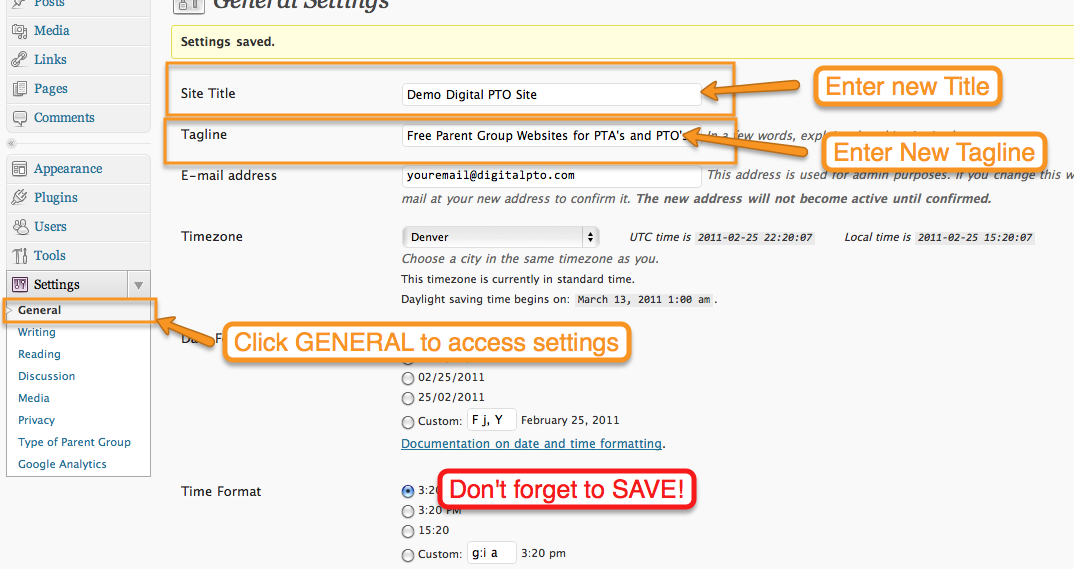 Click GENERAL under the Settings Menu on the left side. Enter the new SITE TITLE (and tagline!) you want to assign to your website and click SAVE CHANGES.
 Are you a Premium Plan member yet? It might be time to get started.




 Need More?